If you research dropshipping or competitor stores on Shopify, you've probably installed one of the popular "spy" extensions and watched a little popup tell you the store just sold something — a name, a product, "2 minutes ago." It's a compelling feature. It's also the single most disputed number in this entire product category, and if you search around, you'll find that reviewers of popular Shopify spy tools repeatedly question whether those live sales numbers are real at all.
This post walks through why that skepticism exists, three ways to test any spy tool's claims yourself before you trust them, and what a more transparent approach to Shopify store research actually shows instead.
Why "how well is this store doing" is the first question researchers ask
Before you copy a product, source from a supplier, or decide a niche is worth entering, you want a read on whether a specific store is actually selling. That's the appeal of any Shopify "spy" tool: point it at a competitor's storefront and get a signal — sales velocity, best sellers, traffic — without asking the store owner for anything. The problem is that "signal" is easy to fake and hard for an end user to verify, and a live sales counter that updates every few seconds is a particularly convenient thing to fabricate, because nobody's checking it against the store's actual order data.
The live sales counter problem
This is the complaint that shows up over and over in low-star reviews of the category's most-installed extensions:
"I tested this on my own shop and the numbers didn't match anything — the 'best sellers' data doesn't reflect our real sales at all. It looks like it's just pulling from one of Shopify's default collections." — 1-star review, popular Shopify spy extension
"A store with zero sales was shown generating live sales notifications — completely fabricated." — 1-star review, popular Shopify spy extension
"It showed a sale from two days ago on a product I'd only added to the store one day earlier." — 1-star review, popular Shopify spy extension
The pattern across these reviews is consistent: someone tests the tool against a store they control — often a brand-new one with genuinely zero orders — and the "live sales" feature still fires. That's a strong signal the number isn't coming from real order data at all.
Three ways to test a spy tool yourself
You don't need to take any review at face value, including this one. Before trusting a tool's sales data, run these quick checks:
- Point it at a store with zero sales. A brand-new Shopify store, or one you know hasn't shipped a single order, should never trigger a "live sale" notification. If it does, the feature is generating activity, not reporting it.
- Point it at your own store and compare against your real order data. If the tool's "best sellers" list doesn't match what's actually in your Shopify admin, the underlying data source isn't what it claims to be.
- Watch the timing. A "sold 2 minutes ago" claim on a product that was only just added to the catalog, or on a store with no active traffic, doesn't add up — note the discrepancy and move on.
The other red flag: permissions and redirects
Fabricated sales numbers aren't the only trust issue in this category. Some of the same extensions have drawn reviews describing unexpected redirects to unfamiliar domains, or links on a page being silently rewritten to affiliate URLs the user never clicked into. If an extension asks for broad permissions to "read and change all your data on all websites" just to show you a competitor's theme and app stack, that's worth pausing on — the functionality doesn't obviously require that level of access.
The subscription trap
A third pattern worth watching for: free trials that require a card up front, subscriptions that keep charging after cancellation, or paid plans that expire in hours instead of the advertised period. None of this is unique to Shopify research tools, but reviewers of this specific category flag it often enough that it's worth checking a tool's refund and cancellation policy before entering payment details — not after.
What a transparent Shopify inspector shows instead
The alternative to a live-sales guessing game is a tool that only surfaces information that's actually verifiable from a public storefront: the store's real name, location, currency, domain and myShopify subdomain, its own listed description, which countries it ships to, and how many products and collections it has published.
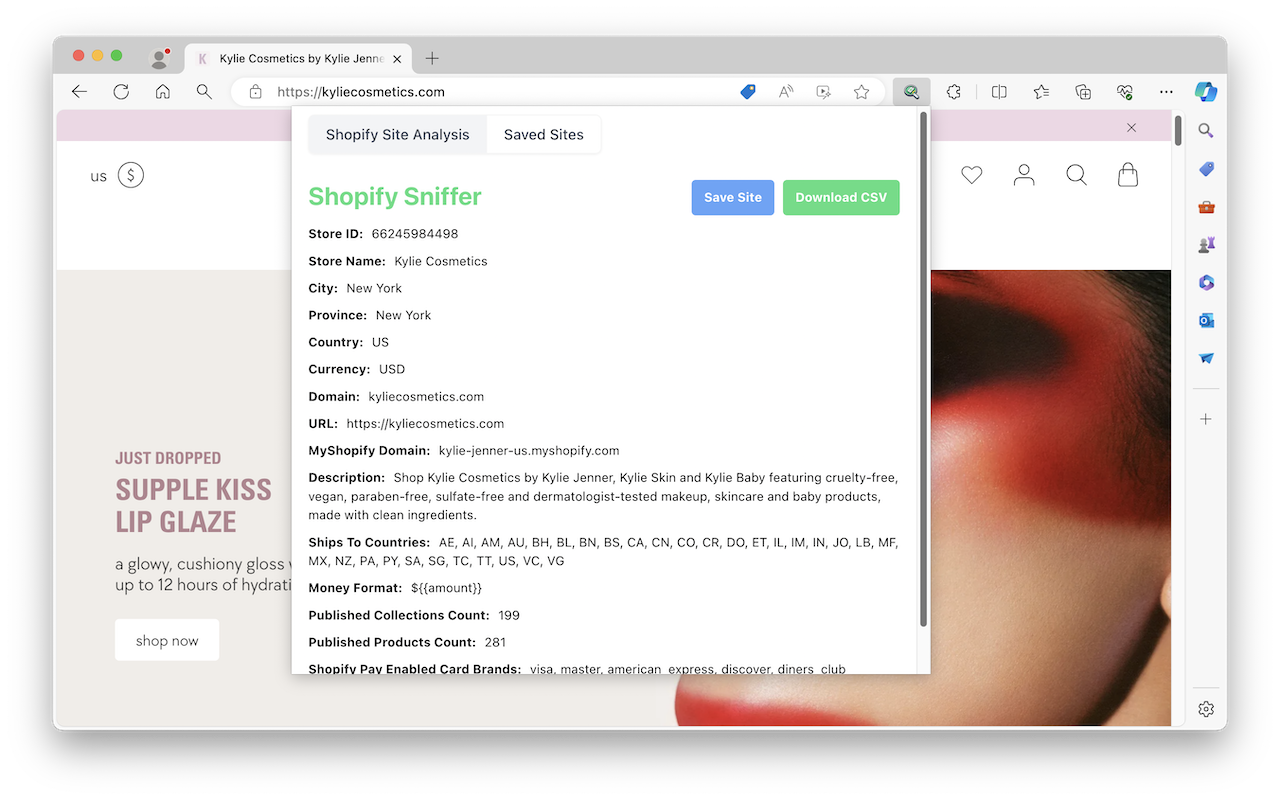
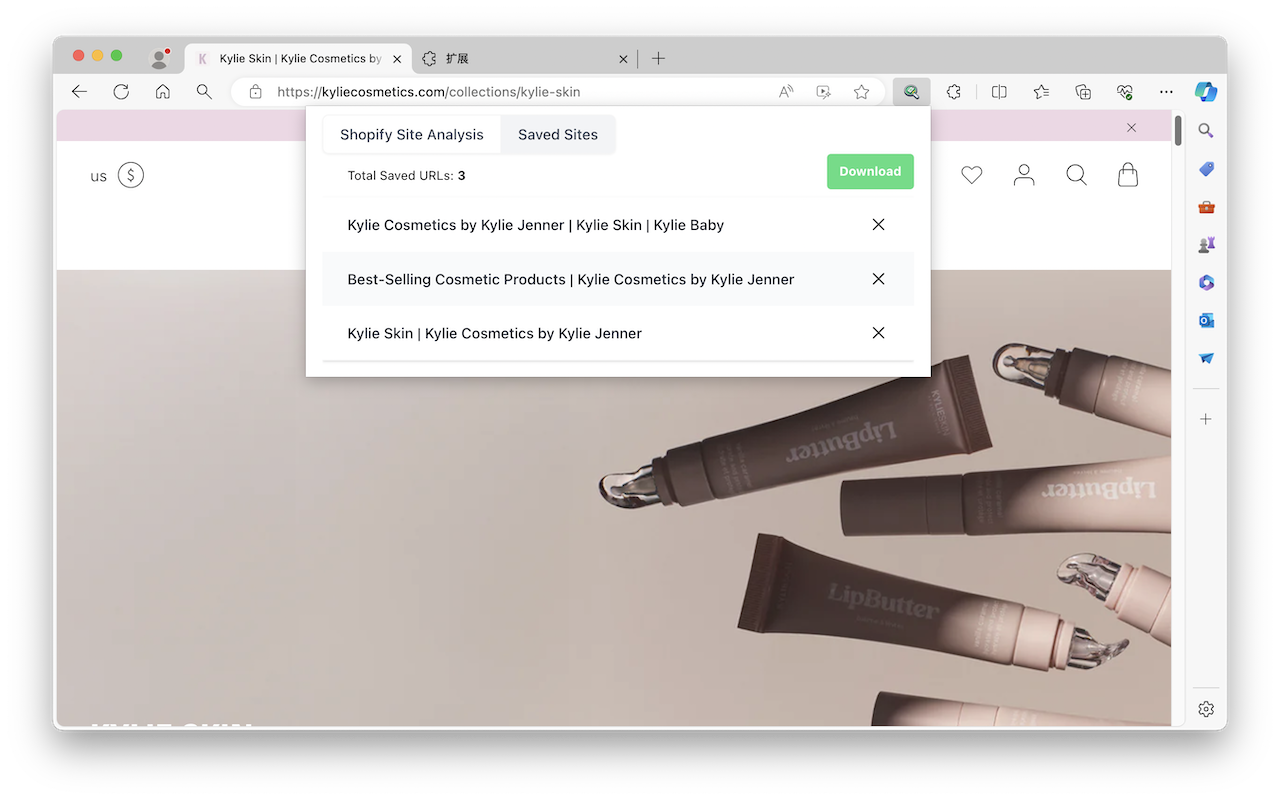
That's what Shopify Store Inspector is built around: point it at any public Shopify storefront and it reads back the store's own published data — no login to the target store required, and no manufactured "live sales" ticker standing in for real numbers it doesn't have access to. You get facts you can verify against the storefront itself, plus the ability to save a site you're researching and export what you've found to CSV for later comparison.
Sketchy spy tools vs. a transparent inspector
| Typical "spy" extension | Shopify Store Inspector | |
|---|---|---|
| Sales data | "Live sales" ticker, unverifiable | Not fabricated — shows only published store facts |
| Login required | Sometimes, for the target store | No login needed for any public store |
| Permissions | Often broad ("all sites, all data") | Reads public storefront data only |
| Cost surprises | Free trial → card required → auto-renew reported in reviews | Clear, no live-sales upsell to chase |
| Data you keep | Locked in the tool's dashboard | Save sites, export to CSV |
FAQ
Does Shopify Store Inspector show real-time sales? No — it deliberately doesn't offer a live sales feature, since that number can't be verified from public storefront data alone. It shows what is verifiable: theme, apps, published product/collection counts, shipping countries, and store metadata.
Do I need to log into the store I'm researching? No. It works against any public Shopify storefront URL.
Can I keep a list of stores I'm researching? Yes — saved sites persist in the extension and can be exported to CSV.
The bottom line
A live sales counter is the easiest feature in this category to fake, and the hardest for an average user to check — which is exactly why it shows up so often in one-star reviews once someone actually tests it against a store with zero orders. Before you build a sourcing or competitor-research decision on a number a spy tool showed you, run the zero-sales test yourself. And if what you actually need is a read on a store's theme, apps, tracking pixels, and published catalog — the things that genuinely are public and verifiable — that's a problem a transparent inspector solves without asking you to trust a ticker.