Open Hacker News on a busy morning and you're looking at thirty headlines, each one a rabbit hole of 50 to 300 comments. Reading even a fraction of that before your first meeting isn't realistic, which is why AI summarizer extensions for HN caught on fast — until, for a lot of users, they just stopped working. If you've searched "chatgpt summarize not working" or seen a "quota exceeded" message where a summary used to be, you're not imagining a decline. It's a structural problem with how a lot of these tools are built, and it's worth understanding before you install another one.
The front page overload problem
Hacker News rewards depth: the best insight in a thread is often buried in comment #140, written by someone with direct experience of the exact thing the headline is about. Scrolling to find it costs time most people don't have before their first coffee. A summary — three or four bullets on what a post argues and what the top comments actually debate — turns a 10-minute skim into a 30-second decision about whether the thread is worth opening at all.
Why web-session summarizers break
A common design for "summarize this with ChatGPT" extensions is to automate the actual chatgpt.com tab in your browser — opening it, pasting the page content in, and reading back whatever ChatGPT's web interface returns. It works, until it doesn't, because that interface was built for a person typing, not a script running dozens of times a day. Reviewers of one of the most-installed extensions in this category describe exactly that failure mode:
"It stopped working a while ago — now it just shows 'exceeded your current quota.'" — 1-star review, popular ChatGPT summarizer extension
"Now all I get is a message saying the system has detected unusual activity from my account." — 1-star review, popular ChatGPT summarizer extension
"It keeps asking me to verify I'm not a robot — wastes a huge amount of time." — 1-star review, popular ChatGPT summarizer extension
Quota limits, bot-detection challenges, and account flags are the web interface working as intended — it's designed to make sure a human is on the other end. An extension automating that same interface hundreds of times a day is going to trip those defenses eventually, and when it does, the summary just silently disappears.
The quiet pattern of people switching tools
Once a summarizer extension starts hitting these walls regularly, reviews often mention people moving on to something else entirely — a pattern that shows up across multiple languages in the same review threads. It's a useful signal: when a tool depends on scraping a website that wasn't built to be scraped, the failure isn't a one-time bug, it's the architecture, and users notice.
A different architecture: a dedicated summary service, not a scraped tab
Hacker News AI Summary is built on a dedicated backend rather than automating a ChatGPT browser tab — you sign in with a Google account and the summary comes back from that service directly, the same way you'd expect from any account-based product, rather than depending on a scraped web session that can be quota-limited or captcha-blocked at any moment.
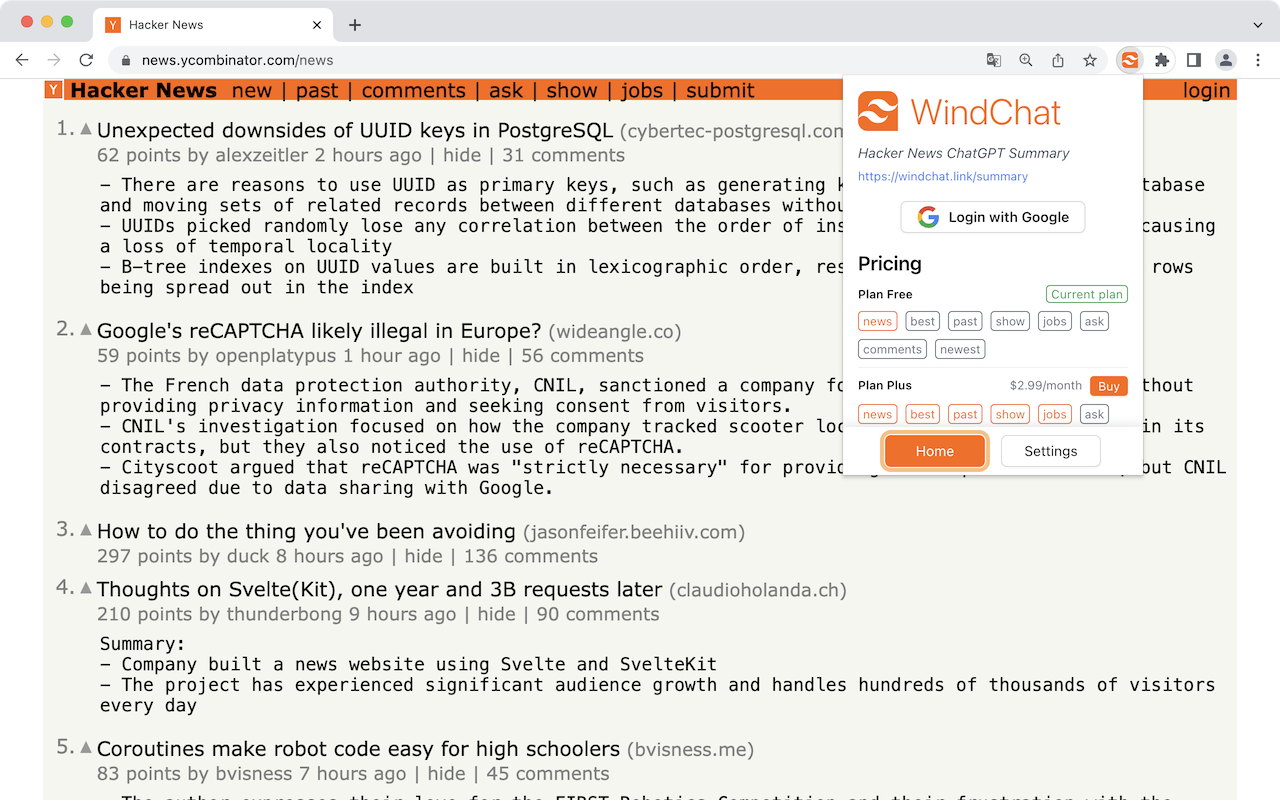
Summaries appear inline, right under each headline on the Hacker News front page — no separate tab, no copy-pasting a link into a chat window.
What you can actually configure
The settings panel controls exactly how much you see and in what language, which matters once you're using this daily rather than occasionally:
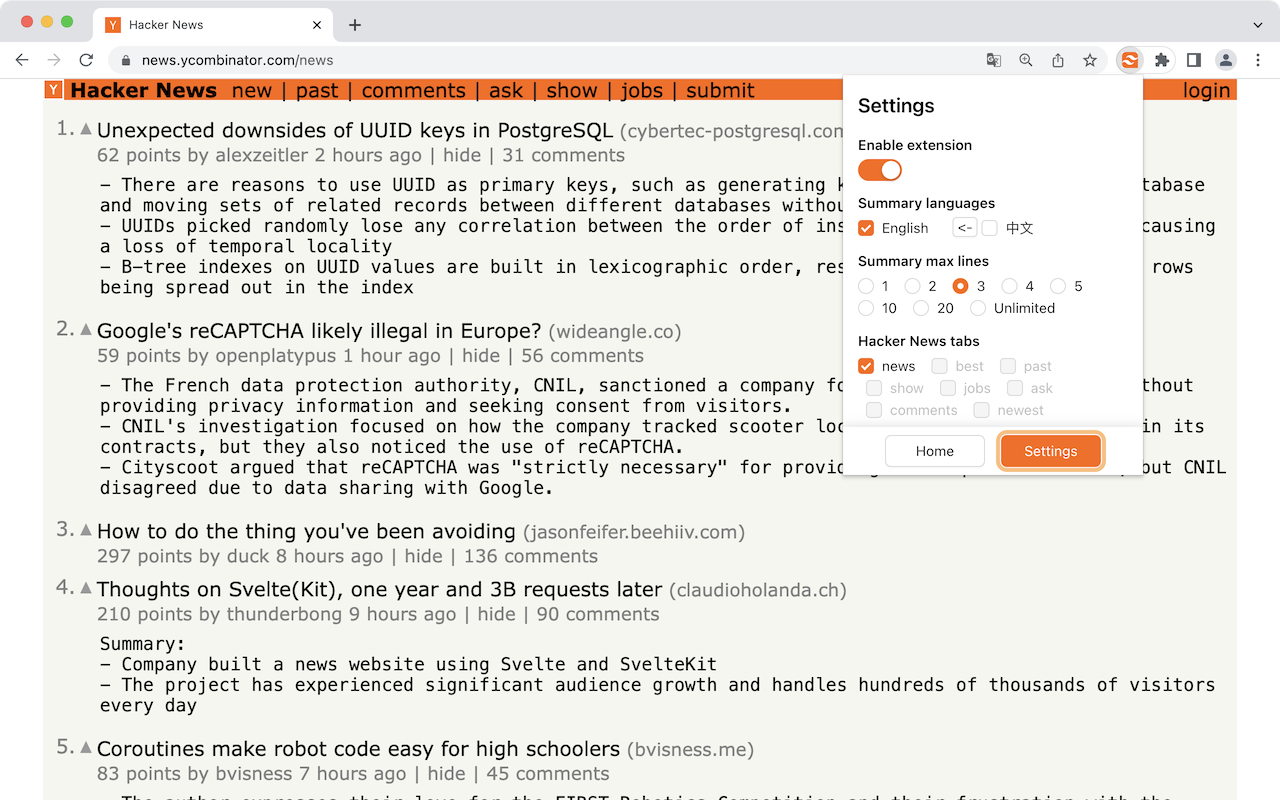
- Summary length, from a tight 1-line takeaway up to unlimited detail, depending on whether you're triaging fast or actually want the full picture.
- Language, including English and Chinese, so the summary reads naturally regardless of which language you think in.
- Coverage across every Hacker News tab — new, best, past, show, ask, jobs, and comments — not just the front page.
Reading Hacker News in your own language
For non-English-first readers, machine-translated summaries of both the post and its top comments remove a second layer of friction on top of the original overload problem:
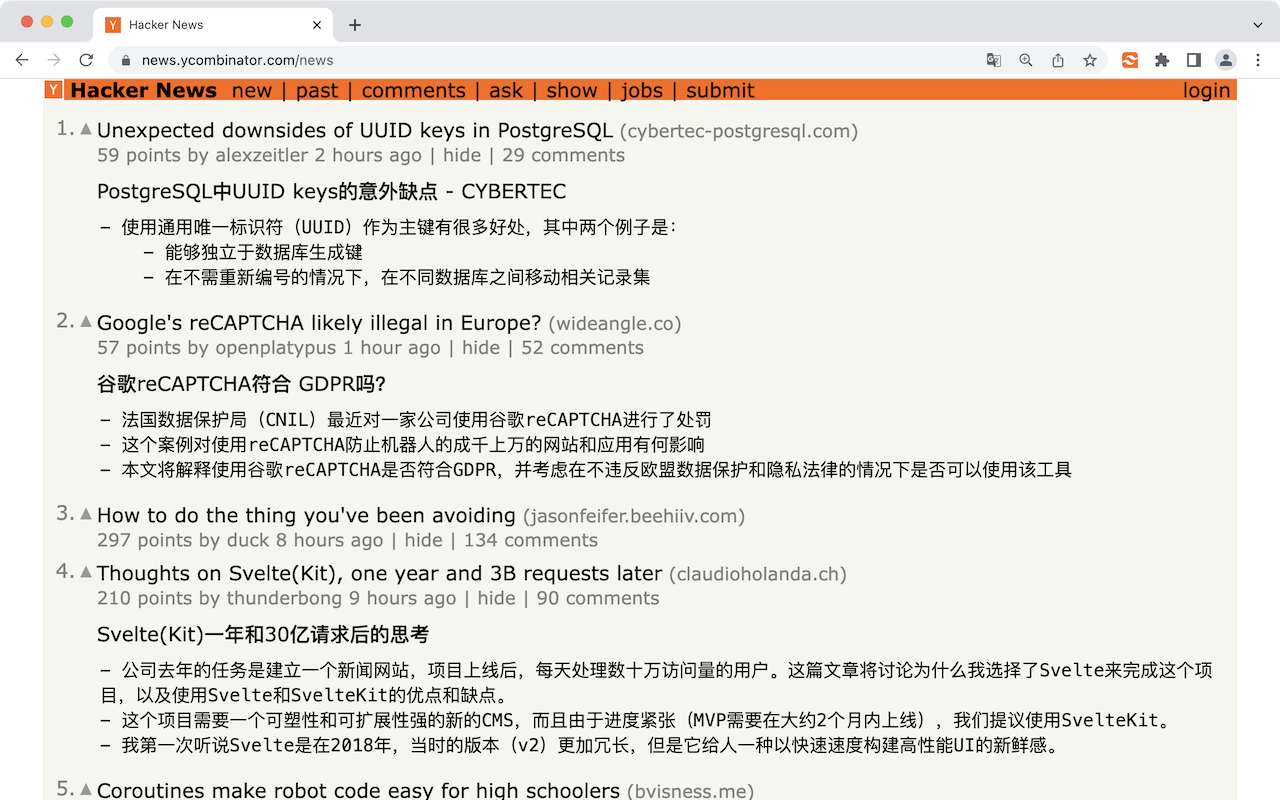
Web-session summarizer vs. a dedicated summary tool
| Web-session ChatGPT summarizer | Hacker News AI Summary | |
|---|---|---|
| How it gets a summary | Automates the chatgpt.com tab | Dedicated summary service, sign in with Google |
| Failure mode | Quota exceeded, captcha, "unusual activity" flags | Not dependent on scraping a chat UI |
| Summary length | Usually fixed | Adjustable, 1 line to unlimited |
| Language | Typically English only | English and Chinese |
| Coverage | Often front page only | news, best, past, show, ask, jobs, comments |
FAQ
Do I need a ChatGPT account? No — you sign in with Google, and summaries come from a dedicated backend rather than your own chatgpt.com session.
Does it summarize comments, or just the post? Both — comment threads are summarized alongside the headline post, which is where a lot of the actual value on Hacker News lives.
How is it priced? Open the extension to see the current plans, usage limits, and included features.
Can I read summaries in a language other than English? Yes, including Chinese, with more languages supported in settings.
The bottom line
If your ChatGPT summarizer keeps hitting quota walls or captchas, that's not bad luck — it's what happens when a tool automates a chat interface that was never meant to be automated at scale. A summarizer built on its own backend, rather than a scraped browser tab, sidesteps that failure mode entirely, and turns Hacker News's daily flood of headlines and comments into something you can actually get through before your coffee gets cold.