Every Mac window manager comparison used to start the same way: Rectangle if you're cheap, Magnet if you want it in the Mac App Store. That's changed twice in the last two years. First macOS Sequoia shipped its own native window tiling. Then a new wave of alternatives — WindSpace among them — showed up promising to do everything Magnet does, plus the one thing its own reviewers keep asking for.
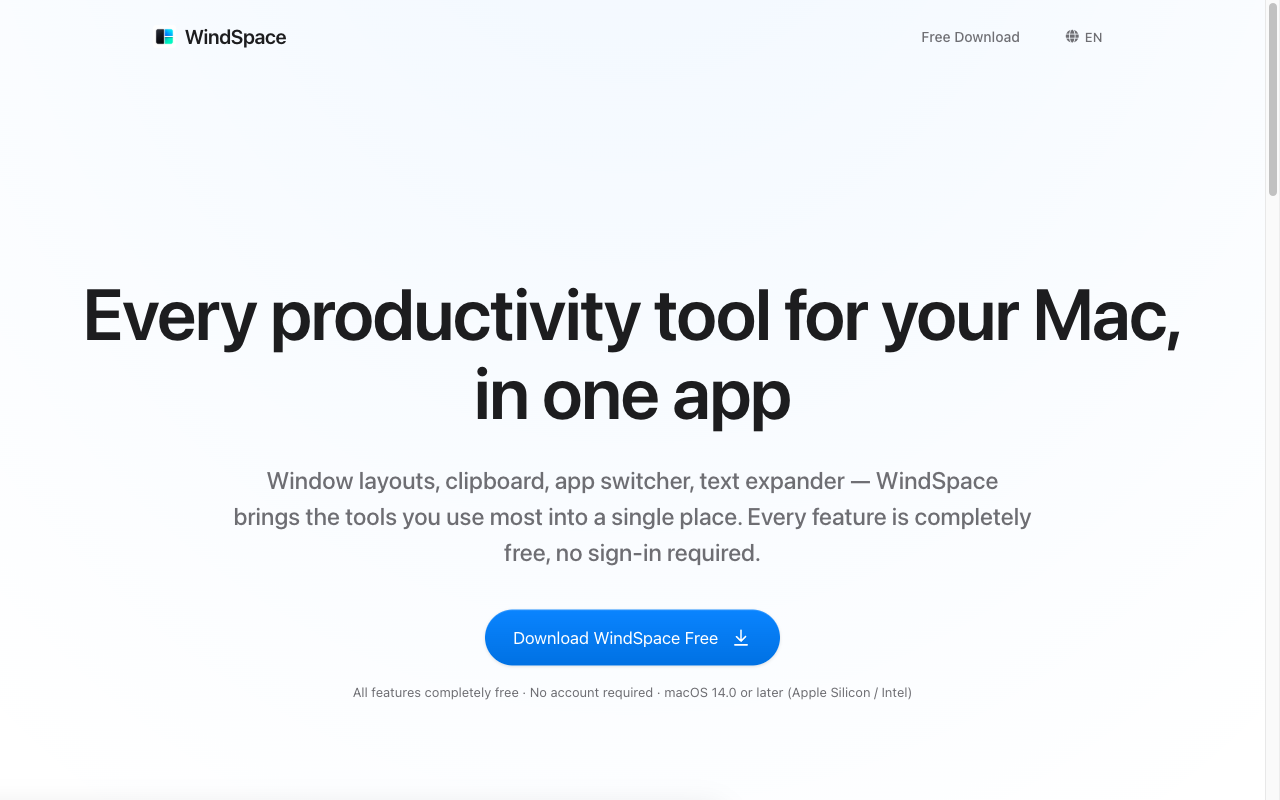
This guide compares Rectangle, Magnet, and WindSpace on the things that actually decide whether a window manager sticks around on your Mac: price, reliability across macOS updates, multi-monitor support, and whether it remembers your layouts.
Why Mac users are still hunting for a Magnet alternative in 2026
macOS Sequoia's built-in tiling was supposed to settle the "do I need a third-party window manager" debate. For casual users splitting two windows into halves, it mostly does. But as one widely-cited 2026 comparison puts it:
"While macOS Sequoia's tiling offers basic layouts dividing the screen into halves and quarters, Rectangle goes 2 steps further allowing you to tile windows into thirds, sixths, or even custom sizes."
Power users hit the same wall fast: no thirds or sixths without a third-party app, no saved layouts, and keyboard-driven workflows that don't extend across displays. That's why "rectangle vs magnet" and "magnet alternative free" remain two of the most searched comparisons among Mac window management tools.
Rectangle: the free, open-source favorite
Rectangle is free, open source, and distributed only through its website, GitHub, and Homebrew — it has never been on the Mac App Store. It's the tool most 2026 roundups default to recommending first, because it snaps windows into halves, thirds, sixths, and custom sizes with fully remappable keyboard shortcuts, at zero cost.
What it doesn't try to be is a layout manager. Rectangle's model is snap-one-window-at-a-time; it doesn't ship a built-in way to save a full multi-window arrangement and restore it later, and it has no built-in clipboard history, text expansion, or app-launching features — it does one job and does it well.
Magnet: what $5.99–$7.99 buys you
Magnet is the paid, Mac App Store alternative, priced around $5.99–$7.99 as a one-time purchase. It has a large, mostly positive review base, and its own reviewers describe exactly why they like it:
"I have tried ALL of the window management apps. Seriously all of them. Most of them require insane customization and memorization of shortcuts, causing a steep learning curve to build the system that you want..." — a five-star Magnet reviewer, on why the app's simplicity won them over
But the same review base also spells out Magnet's biggest gap, in a reviewer's own words:
"The only thing i wish it had was a way to remember the exact position and size of each window and to restack them upon restarting... I am sticking with Magnet [for now]." — a five-star Magnet reviewer
That's a paying, satisfied customer asking for layout save-and-restore — a feature Magnet doesn't offer.
BetterSnapTool and Moom: the reliability tax
The third recurring theme across window-snapping tools isn't about features at all — it's about surviving macOS updates. One Magnet reviewer described losing "Snap windows by dragging" after upgrading to Big Sur, then spending five weeks tracking down the fix, most of it "entering my password in System Preferences to unlock modifications to my Accessibility settings."
BetterSnapTool's own community forum shows the same pattern repeating across multiple macOS releases, with thread titles like "BetterSnapTool does not work on MacOS Ventura 13.0" and "Mojave broke BetterSnap Tool." Moom 4, meanwhile, has been pulled from the Mac App Store entirely and is now sold only as a direct download from the developer's site. Because window snapping depends on macOS Accessibility permissions, tools built around it tend to break — at least temporarily — every time Apple ships a major OS update.
Rectangle vs Magnet vs WindSpace: feature by feature
| Rectangle | Magnet | WindSpace | |
|---|---|---|---|
| Price | Free, open source | $5.99–$7.99, one-time | See the current WindSpace checkout page |
| Sign-in required | No | Apple ID (App Store) | No |
| Distribution | Website / GitHub / Homebrew only | Mac App Store | Direct download from windseed.app |
| Snap increments | Halves, thirds, sixths, custom sizes | Halves, quarters, preset zones | Grid-based layouts, including 6-grid and 9-grid presets |
| Multi-monitor support | Yes | Yes (reviewers cite ultrawide and vertical-monitor setups) | Yes |
| Custom keyboard shortcuts | Yes | Yes | Yes, fully custom, including leader-key sequences |
| Save & restore full layouts | Not part of its snapping model | Not available (a top request in its own reviews) | Yes — 55 preset layouts across 13 groups |
| Other tools bundled | None | None | Clipboard history, app switcher, text expander |
Where WindSpace fits in
WindSpace runs on macOS 14 and later. Check its current store or checkout page for pricing. Instead of snapping one window at a time, it's built around layout groups — Default, Center, Smart, Overlapping, Halves, Quarters, 6-grid, 9-grid, and more — with 13 groups and 55 layouts you can trigger from the menu bar or a custom keyboard shortcut and pick back up exactly where you left off.
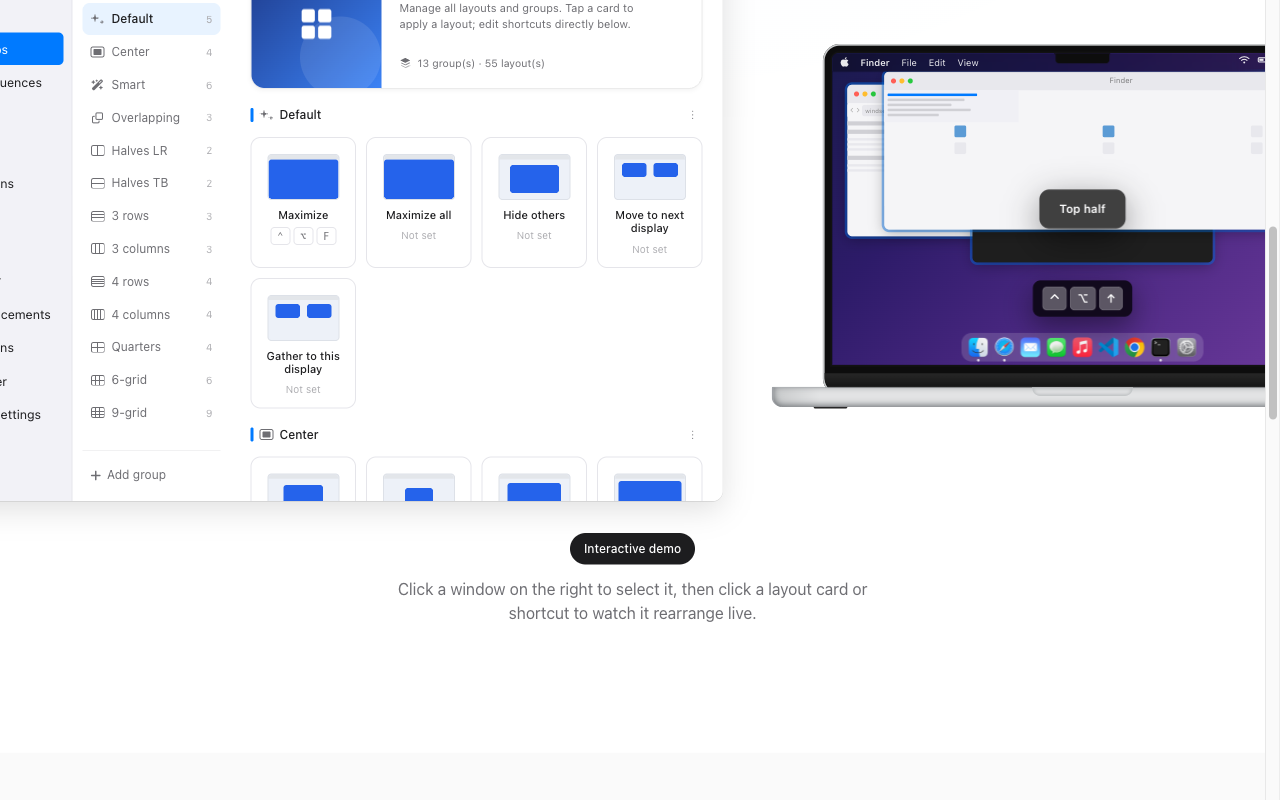
That directly answers the gap Magnet's own reviewers describe wanting: a way to remember window arrangements and bring them back after a restart. Shortcuts in WindSpace are fully custom — including leader-key sequences, so you can chain a prefix key with a follow-up key instead of hunting for unused modifier combinations — which also sidesteps the Globe/fn-key limitation baked into macOS Sequoia's own native tiling shortcuts.
FAQ: Rectangle, Magnet, and macOS Sequoia tiling
Do I still need a third-party window manager if I have macOS Sequoia? If you only ever split two windows in half, native tiling covers it. If you want thirds, sixths, custom grids, saved layouts, or shortcuts that aren't tied to the Globe/fn key, you still need a dedicated tool.
How much does WindSpace cost? Check the current WindSpace store or checkout page for pricing and included features.
Does it work with multiple or ultrawide monitors? Yes, its grid-based layouts are designed with multi-monitor and ultrawide setups in mind, the same use case Magnet reviewers repeatedly cite as a reason they rely on a dedicated window manager.
What if I already have Magnet or Rectangle shortcuts memorized? Because WindSpace's shortcuts are fully custom, you can remap them to match your existing muscle memory instead of relearning a new set from scratch.
The bottom line
Rectangle earns its reputation as the default free pick, and Magnet's App Store polish and multi-monitor reliability have kept it a paid favorite for years — but both leave the same gap their own users point out: no way to save a layout and get it back after a restart or an update. That's the exact problem WindSpace is built to solve, on top of a fully customizable shortcut system that doesn't fight you the way macOS Sequoia's native Globe-key bindings do.