Chrome 웹 스토어의 ‘화면 분할’은 전혀 다른 제품을 가리킵니다. 탭을 여러 창으로 찢어 붙이는 것, 크기만 바꾸는 것, 항상 위 작은 창을 띄우는 것, 그리고 한 탭 안에서 칸을 나누는 것은 극소수입니다. 20여 개 키워드 군으로 자체 DB를 검색해 24개 후보를 찾았고, 사용자·평점이 앞서며 구현 방식이 다른 7개를 리뷰했습니다. 실제 호평·불만과 장면별 조언을 붙였습니다.
출처:crx.windseed.app
표본:31만+ 확장 / 53만+ 리뷰
심층 리뷰:핵심 제품 7개
스냅샷:2026-08-17
서두 결론
1. 서두 요약: 이 분야에서 어떻게 고를까
가장 흔한 함정부터, 30초 안에 결론 4가지.
먼저: ‘화면 분할’은 ‘한 탭 안 분할’이 아닙니다
이 어긋남이 이 분야의 별 하나 리뷰 대부분입니다. Split Screen이라는 이름을 설치하면 Vivaldi나 Edge처럼 Chrome 탭 하나를 좌우로 자른다고 생각합니다. 실제로는 90% 이상이 현재 탭을 여러 실제 시스템 창으로 찢어 붙입니다. 바탕화면에 창이 늘고, 탭 그룹이나 고정 탭도 잃기 쉽습니다.
1진짜 탭 안 분할이 필요하다
한 탭 안에 칸을 까는 것은 PageVS뿐입니다(최대 36, 스크롤 동기화). 사용자는 약 3,000명, 평점 표본도 작으니 의존하기 전에 며칠 써 보세요.
2창이 늘어도 된다
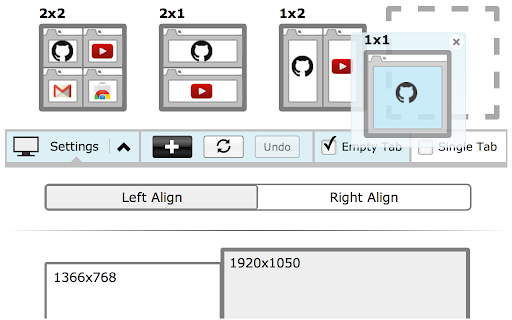
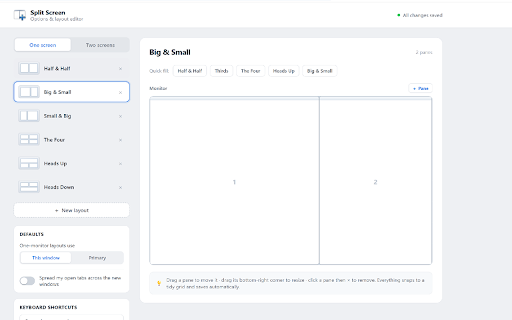
독립 창을 붙여도 되면 Tab Resize부터(80만 사용자 · 4.32). 단축키와 레이아웃이 가장 성숙합니다. 간단한 두 화면 비교는 Dualless(70만)도 있지만 탭 그룹이 깨질 위험을 보세요.
3일하면서 보기 / 화면 속 화면
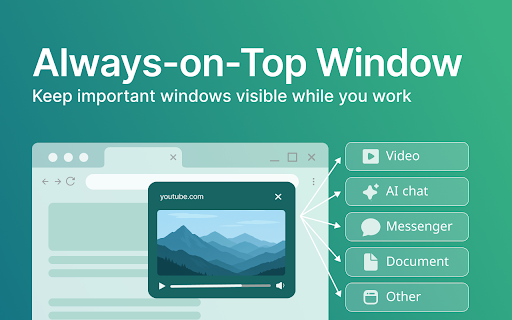
영상·슬라이드·거래 차트를 맨 위에? Always on Top Window(5만 사용자 · 4.78)가 역할이 가장 분명하고 이 묶음에서 만족도가 가장 높습니다.
4프론트 테스트와 정확한 크기
반응형 테스트나 다중 모니터 정밀 배치에는 Window Resizer(70만 사용자 · 4.29 / 2,283개 평점). 검색 엔진이 바뀌었다는 과거 논란이 있으니 설치 후 권한을 확인하세요.
후보 전체
2. 후보 전체(24개)
검색 방법과 분류를 먼저 알려 골라보기 전에 지도를 줍니다.
split screen, window resize, tile windows, always on top, tab tiler 등 20여 개 키워드 군으로 검색해 중복을 빼면 관련 확장은 24개입니다. 실제 동작으로 나누면 대략 아래 4종류입니다.
독립 창으로 찢어 붙이기가장 흔함 · 불만도 가장 많음
현재 탭을 2–4개 실제 시스템 창으로 찢어 비율대로 붙입니다. 예: Tab Resize, Dualless, Split Screen for Google Chrome, Tile Tabs WE.
한 창 크기만 정확히 바꾸기개발자용
페이지를 나누지 않습니다. 이 창만 1920×1080이나 휴대폰 보기 같은 프리셋으로 바꿉니다. 예: Window Resizer.
떠 있는 / 항상 위 작은 창평판이 가장 좋음
탭을 항상 위에 떠 있는 작은 창으로 만들어 영상이나 대조 차트에 씁니다. 예: Always on Top Window, Companion Window.
진짜 탭 안 다중 창매우 드묾
새 창을 열지 않습니다. 같은 탭을 여러 칸으로 나누고 스크롤 동기도 됩니다. 예: PageVS.
확장 프로그램
사용자 수
평점
평가 수
분류
Tab Resize - split screen layouts
800,000
★ 4.32
1,130
핵심 · 창 나누기
Dualless
700,000
★ 3.99
275
핵심 · 창 나누기
Window Resizer
700,000
★ 4.29
2,283
핵심 · 크기 변경
Split Screen for Google Chrome
200,000
★ 3.71
406
핵심 · 창 나누기
Tile Tabs WE
70,000
★ 3.57
112
핵심 · 격자 분할
Always on Top Window
50,000
★ 4.78
59
핵심 · 항상 위
PageVS - Super Split View for Browser
3,000
★ 4.81
16
핵심 · 진짜 탭 안 분할
제품별 리뷰
3. 핵심 7개 제품을 하나씩 리뷰
각 제품에 수치, 동작 방식, 실제 호평·불만(도움이 됨 표 포함), 누구에게 맞는지 / 무엇을 조심할지를 붙입니다.
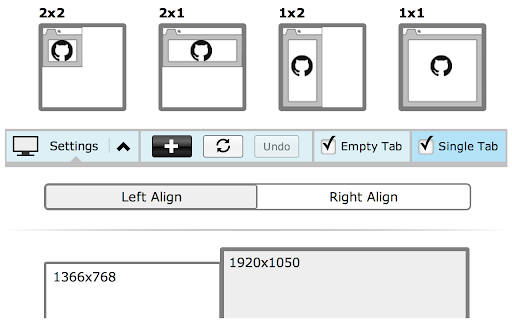
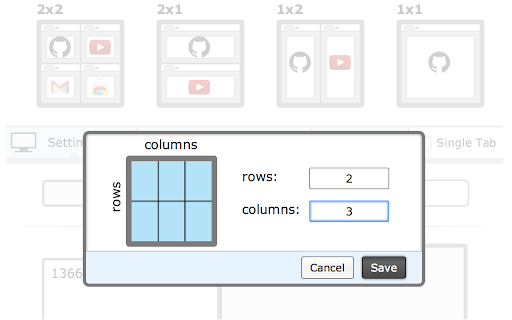
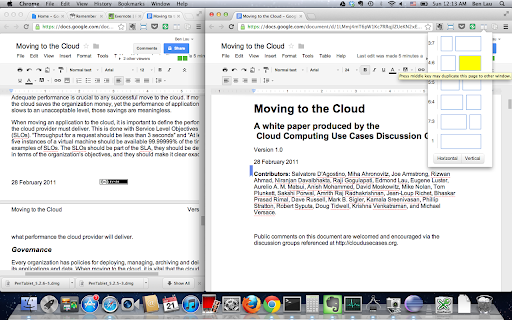
핵심 동작과 위치:One click turns the current tabs into 2 / 3 / 4 separate Chrome windows and snaps them to a preset grid. Custom shortcuts and ratios are supported. It is the oldest and most-used tool in the “split into windows” camp.
Highest-voted praise
“perfect app It's great when working. A very helpful item, well thought out and easy to use. Many options and can also create your own user defined shortcuts”
Youssef Habboubi2018-04-26👍 21
“I switched to Vivaldi for a while and was delighted by their use of side panels. This plugin lets me just that and much more.”
Stav Geffen2019-02-10👍 25
Highest-voted complaints
“Creates new window, not split tabs within a window”
Tùng Trần2025-07-27👍 10
“This is not split screen. We know split screen is 2 tabs in a single tab. This only separates into multiple windows making it worse.”
Xenos2024-10-23👍 26
Best for
People who already use several real Chrome windows, have enough screen space, and want keyboard shortcuts to snap a layout.
Watch out
This is not an in-tab split. If extra windows on the desktop bother you, skip it.
Complaints cluster around “we wanted an in-tab split”
200,000
사용자 수
★ 3.71
406 ratings
핵심 동작과 위치:Also tears tabs into real windows and snaps them. It has a loyal following in online classes, where teachers compare slides and student video on the same screen.
Praise
“Now I can see both my screen share and my school kids... this work offline”
Oyshie Ashraf2021-02-18👍 13
“Works well for me when working with several students at the same time.”
Carolyn Pirte2024-02-21👍 5
Sharp, repeated complaints
“This is not what we are asking for. Need inside of 1 Window/Tab, 2 or more Pages.”
Nazmul Hossain2024-09-05👍 35
“Why does it need my BROWSING HISTORY ??”
Zackariyya Sattaur2024-06-03👍 21
Same-code note
If you already have Dual Screens for Chrome (50k users), reviews say the code is almost the same. You do not need both.
Watch out
The score is only 3.71, and many people ask why it needs browsing history. For a more stable sibling, start with Tab Resize.
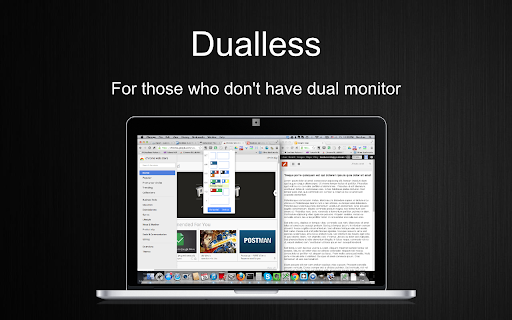
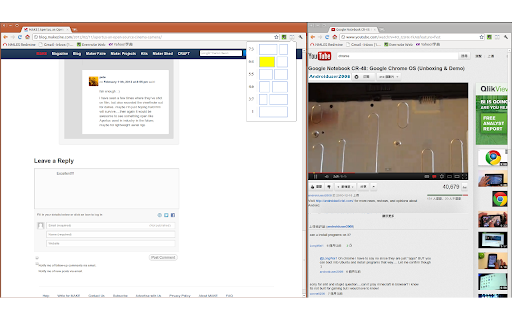
핵심 동작과 위치:Sold as a “fake dual monitor”: two clicks split the current window, and you can save ratios like 3:7, 5:5, or 7:3.
Praise
“I have tried quite a few apps with this same goal in mind but this is my favorite by far... Another nice tool it has is being able to set tabs it opens when you use a certain ratio”
Isilee Amaryllis2016-11-17👍 25
“L'application de rêve pour lire un texte tout en envoyant un e-mail!”
Jean-Philippe C2018-05-31👍 7
High-risk complaints (lost tabs)
“All my tab groups and pinned tabs are gone! I uninstalled immediately.”
Ouguiya Treize2025-05-23👍 16
“I had sorted my tabs into tab groups and it removed them all from their groups. 0/10.”
Kelsey Guo2022-08-28👍 9
Best for
Light use: quickly park two pages at 3:7 or 5:5.
High-risk note
Splitting or merging often breaks Tab Groups and drops pinned tabs, with no undo. Heavy tab-group users should be careful.
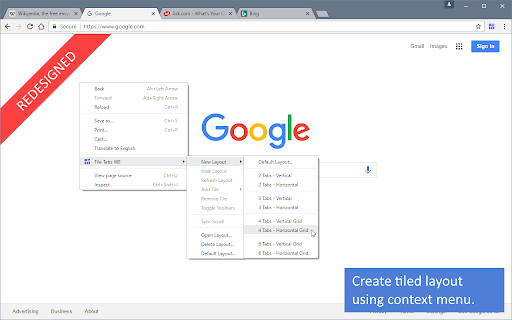
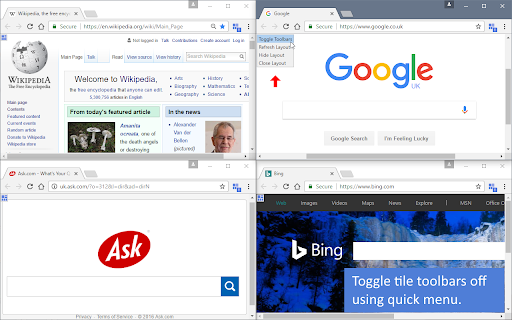
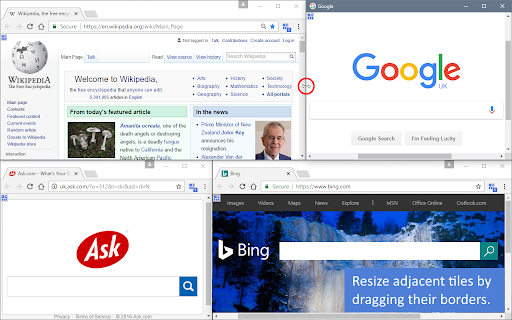
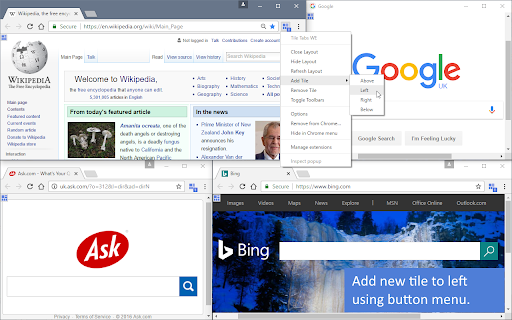
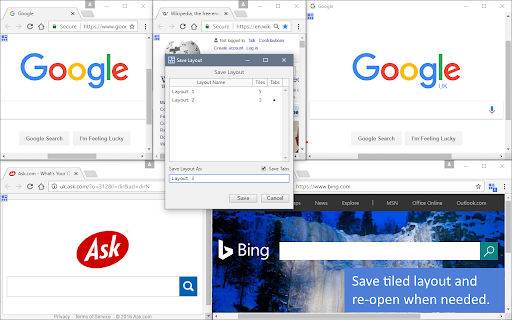
핵심 동작과 위치:Saves several complex grid layouts (including URLs) and restores them in one click. IT teams often use it to monitor many pages on a big screen.
Praise
“Finally found an extension to do exactly what I want! You can save layouts with urls and toggle toolbars of each tile.”
Harry Lin2018-09-25👍 5
“We were using this tool for many years to monitor our IT resources on a big TV screen... developer had been supporting us for more than a couple months.”
“I used to use this in Firefox, it would actually tile the tabs inside one same window... this just opens your tabs in separate windows and resizes them side to side.”
HJozuéorch Telmdrassfurion2022-06-06👍 4
Best for
Ops and monitoring work that needs a saved “layout + URLs” combo.
Expectation gap
Chrome’s extension APIs cannot do the old Firefox in-window tiles, so it has to open multiple windows.
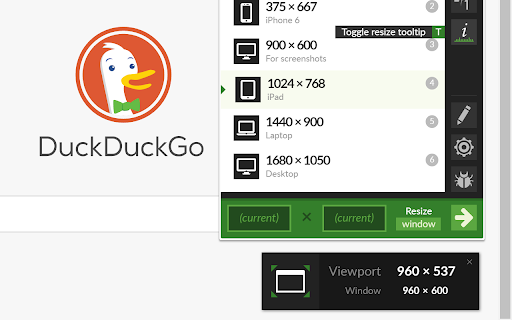
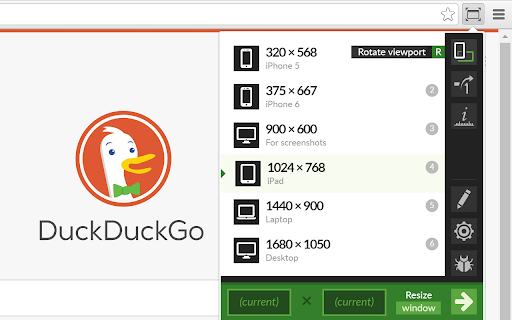
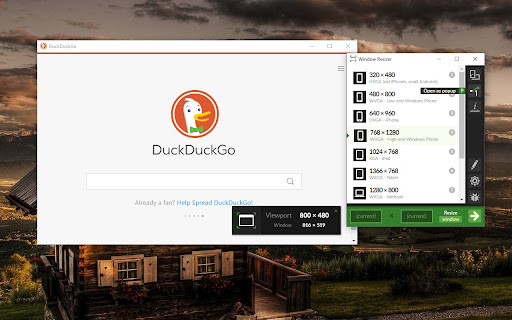
핵심 동작과 위치:Does not split the page. It sets this one window to an exact size (phone / tablet / desktop presets). Developers use it for responsive tests; multi-monitor users use it to park a window precisely.
Developer praise
“allows me to obsessively and precisely arrange windows to maximize the space on my extra-wide screen... primary audience is coders who are testing their responsive websites”
Clint Wrede2013-12-14👍 13
“Must have extension if you have a 4K monitor, or multiple different sized monitors.”
Randy Henry2021-12-14👍 4
Major historical dispute (search redirect)
“Extension works fine, but redirects Google search results to Ecosia without notifying user. Would not install again.”
Past search-redirect controversy — both sides are here
Reports: several high-voted complaints say it quietly sent Google results to Ecosia or Bing. Defense: users such as CJ Winslow say the developer later added a setting to turn that off, and the code is not malware. Advice: after install, check Chrome’s default search engine. If the new-tab page looks wrong, revoke the related permission in extension settings.
핵심 동작과 위치:Turns the current tab into a freely moved, resized pane that stays on top—built for watching while you work: video, slides, or a trading chart.
High-score praise
“This is perfect alongside ppt slides I'm studying. I have so much more space for content.”
MikeA2025-11-06👍 2
“I am using it for Tradingview chart to be on top of MT5, and wow, works very nice.”
Mohammad.H Mohammadi2026-07-02👍 1
Almost no complaints
“Whaaat?! Google docs puts this app's icon on all our letters when printing!!! Wish I could post an image of it here. Makes no sense, it's ridiculous.”
Longcrest Company2026-07-01
Similar option
Companion Window (30k users, 4.73) is a backup. Some complaints say the icon sometimes does nothing, so it is a bit less stable.
Pick this if
If you only need a small window pinned on top, install this one. Highest satisfaction in the niche.
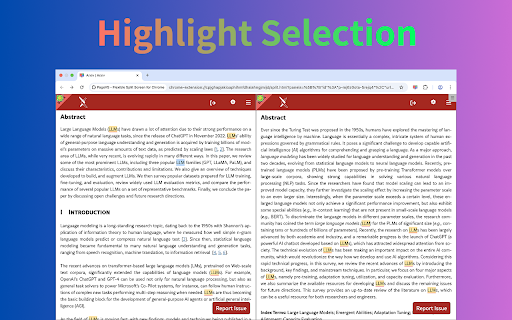
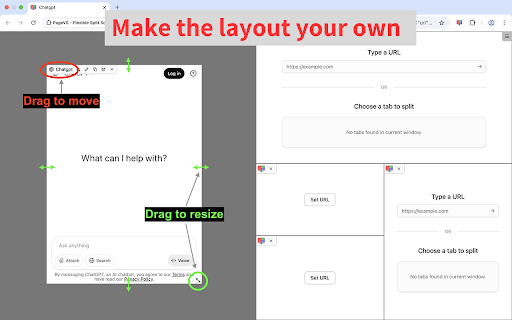
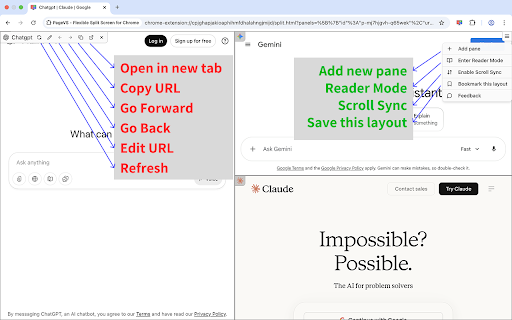
핵심 동작과 위치:A different idea from the first six: no new windows. Up to 36 resizable panes live in one tab, with scroll sync, cross-pane highlights, reader mode, and saved layouts. When other extensions get one-star reviews saying “this is what I wanted,” this is the shape they mean.
Still few users, and few ratings
Only about 3,000 users and 16 ratings. We did not find many long reviews when we collected data. It does deliver a true in-tab split, but a small sample is not proof it is flawless. Try it for a few days before you rely on it.
Best for
People who refuse extra Chrome windows and insist on tiling inside one tab.
Performance note
Dozens of panes in one tab will tax CPU and memory. Pages with cross-origin limits may not load.
공통 발견
4. 제품을 가로지르는 공통점
7개를 본 뒤 알아 두면 좋은 패턴입니다.
1
People mean different things by “split screen” — that is most of the one-star reviews
Most “split screen” extensions actually open several OS windows and snap them. Everyday users hear “split screen” and expect two panes in one tab. That gap shows up again and again in the top complaints for Tab Resize, Split Screen for Google Chrome, and Tile Tabs WE. A true in-tab split is still rare; PageVS is the one doing it here.
2
Split / merge often wipes Tab Groups and pinned tabs
When the browser tears out a new window or merges it back, Chrome Tab Groups and Pinned Tabs are easy to lose. Many high-voted Dualless complaints say one merge scattered every group they had made.
3
Permissions and silent search changes set people off
Users are wary of window managers asking for extra access. Split Screen for Google Chrome was heavily questioned for reading browsing history. Window Resizer has a past dispute about quietly changing the default search engine to Bing or Ecosia. If a tool in this niche starts monetizing, the reaction is loud.
4
Firefox veterans feel the drop
Ports such as Tile Tabs WE often get “it used to tile inside one Firefox window; on Chrome it just opens more windows.” That is a Chrome extension API limit, not a lazy port.
5
Always-on-top tools score much higher than window-splitters
Always on Top Window (4.78) and Companion Window (4.73) sit well above the split-window camp. The promise is simple—“pin one small window on top”—so there is no fight about whether it is an in-tab split, and far fewer complaints.
고르는 법
5. 장면별로 고르기
실제 사용 방식에 카드를 맞추면 됩니다.
Scene 1 · One-window only
I refuse a second Chrome window on the desktop
You need 2–4 pages in one tab, plus scroll sync or highlight compare.
👉 Pick PageVSSmall-sample product. Try it before you depend on it.
Scene 2 · Watch while you work / PiP
Keep video / a chart / slides on top
Write or spreadsheet in the main window while a video, lecture, or trading chart sits in the corner.
👉 Pick Always on Top Window4.78 and a clear, stable job.
Scene 3 · Fast multi-window layout
Extra windows are fine; I want a shortcut
Large or multi-monitor setups that need 2–4 windows snapped to a grid.
👉 Pick Tab ResizeProven by 800k users, mature custom shortcuts.
Scene 4 · Frontend / responsive testing
Change one window to an exact size
Test a page at phone, tablet, or 4K sizes.
👉 Pick Window ResizerAfter install, check that the default search engine did not change.
데이터 출처
6. 데이터 출처와 집계 기준
Source:Data comes from crx.windseed.app, our Chrome Web Store database: 310k+ extensions and 530k+ real reviews. Collected 2026-08-17.
How we count:User counts, ratings, and rating totals are a snapshot from that day, not live store numbers.
How we picked quotes:Praise and complaints are sorted by Chrome “helpful” votes, with the original author and date. We did not edit the wording.