Choisir une extension de disposition de fenêtres Chrome en 2026 : 7 outils de partage d’écran et flottants
« Écran partagé » sur le Chrome Web Store recouvre des produits très différents : certains déchirent les onglets en plusieurs fenêtres et les collent, d’autres ne changent que la taille, d’autres flottent un panneau toujours au-dessus, et presque aucun ne découpe des panneaux dans un seul onglet. Nous avons cherché dans notre base avec plus de 20 groupes de mots, trouvé 24 candidates et passé en revue les 7 en tête d’utilisateurs ou de notes, qui représentent des approches distinctes — avec éloges, plaintes et conseil par scénario.
Source:crx.windseed.app
Échantillon:310k+ extensions / 530k+ avis
Revues approfondies:7 produits clés
Instantané:2026-08-17
Conclusions d’ouverture
1. Résumé d’ouverture : comment choisir dans cette niche
D’abord le piège le plus courant, puis quatre conclusions en 30 secondes.
D’abord : « écran partagé » n’est pas « couper dans un onglet »
Cet écart explique la plupart des avis une étoile. Qui installe quelque chose nommé Split Screen attend un onglet Chrome coupé en deux, comme Vivaldi ou Edge. Plus de 90 % des produits déchirent les onglets actuels en plusieurs vraies fenêtres système et les collent. Il reste des fenêtres en trop sur le bureau, et les groupes ou onglets épinglés se perdent facilement.
1Vous voulez un vrai partage dans l’onglet
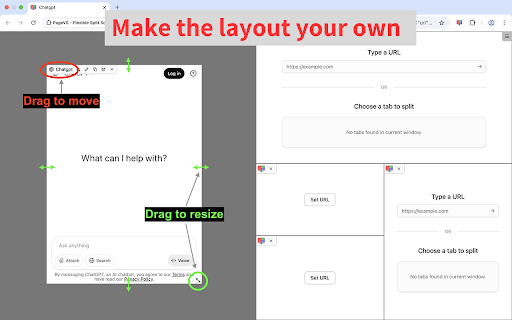
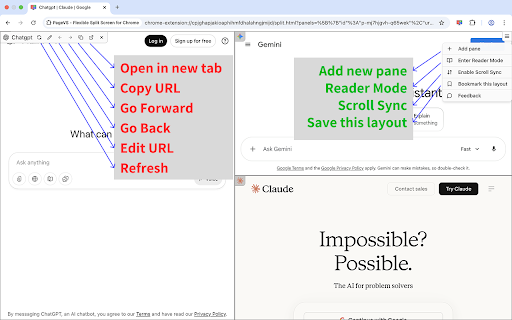
Seul PageVS pose des panneaux dans un onglet (jusqu’à 36, avec synchro de défilement). Environ 3 000 utilisateurs et peu de notes : testez quelques jours avant de vous y fier.
2Des fenêtres en plus vous vont
Si coller des fenêtres séparées suffit, commencez par Tab Resize (800k utilisateurs, 4,32). Raccourcis et dispositions sont les plus mûrs. Pour comparer deux pages, voyez Dualless (700k), mais surveillez le risque de groupes d’onglets cassés.
3Regarder en travaillant / incrustation
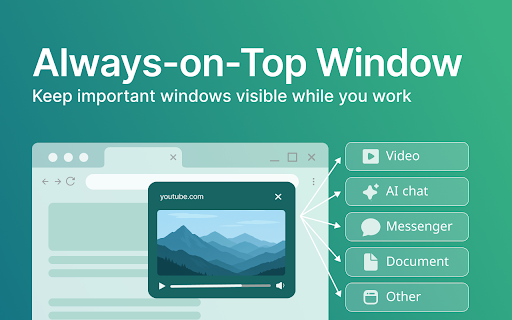
Vidéo, diapos ou graphique de trading au-dessus ? Always on Top Window (50k utilisateurs, 4,78) est le rôle le plus clair et la plus haute satisfaction du lot.
4Tests front et tailles exactes
Pour des tests responsive ou une taille précise sur plusieurs écrans, utilisez Window Resizer (700k utilisateurs, 4,29 / 2 283 avis). Il y a eu une controverse sur des redirections de recherche : vérifiez les autorisations après l’installation.
Liste des candidats
2. Liste complète (24 extensions)
Méthode de recherche et catégories d’abord, pour avoir la carte avant de choisir.
Nous avons cherché dans la base avec plus de 20 groupes de mots (split screen, window resize, tile windows, always on top, tab tiler…). Après dédoublonnage, 24 extensions liées. Selon le fonctionnement réel, elles tombent en quatre groupes.
Déchirer en fenêtres séparéesLe plus courant · aussi le plus critiqué
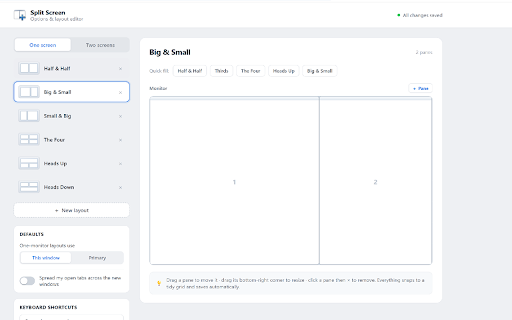
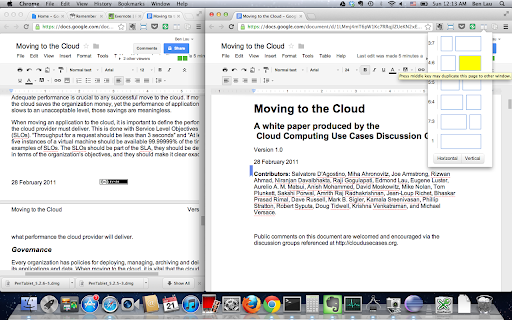
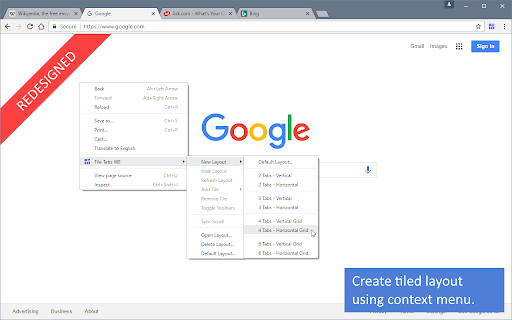
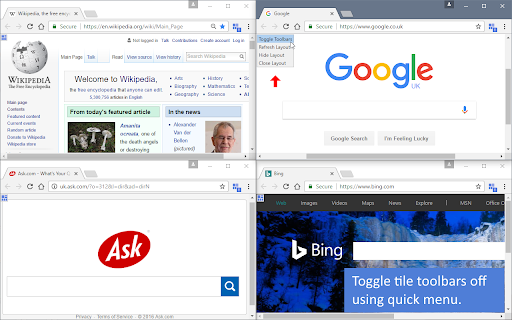
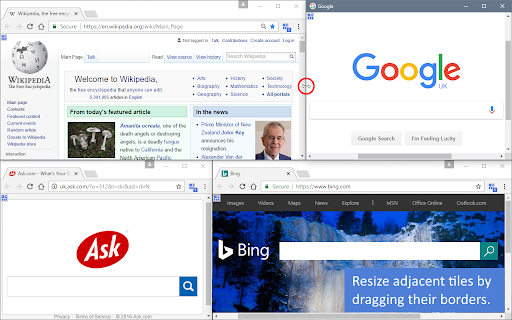
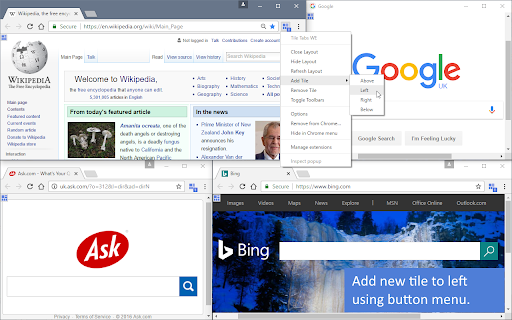
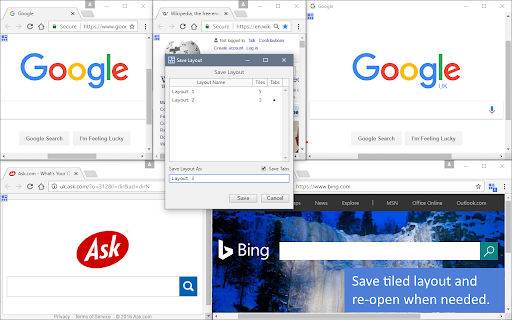
Coupe les onglets actuels en 2 à 4 vraies fenêtres et les colle. Exemples : Tab Resize, Dualless, Split Screen for Google Chrome, Tile Tabs WE.
Redimensionner une seule fenêtrePour les développeurs
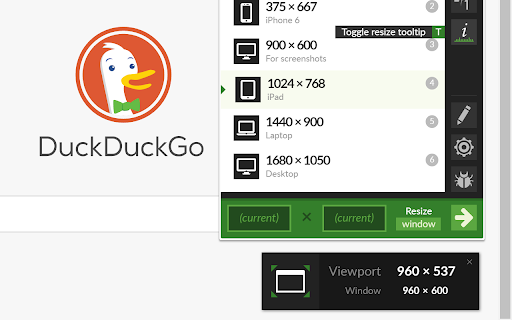
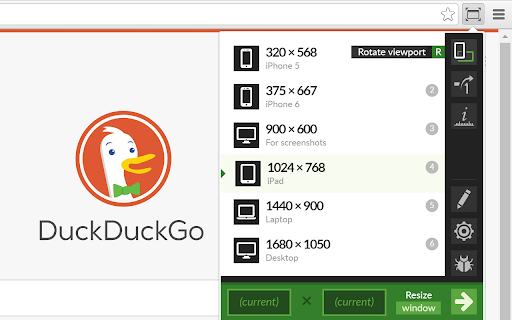
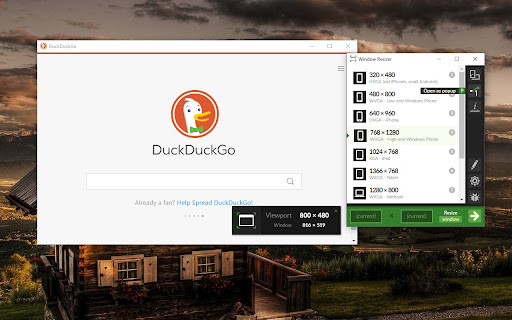
Ne coupe pas la page. Passe cette fenêtre à une taille prête, comme 1920×1080 ou une vue téléphone. Exemple : Window Resizer.
Panneau flottant / toujours au-dessusMeilleure réputation
Transforme un onglet en petite fenêtre qui reste au-dessus pour une vidéo ou un graphique. Exemples : Always on Top Window, Companion Window.
Vrais panneaux dans l’ongletTrès rare
Pas de nouvelles fenêtres. Coupe le même onglet en panneaux, avec synchro de défilement optionnelle. Exemple : PageVS.
Extension
Utilisateurs
Note
Avis
Catégorie
Tab Resize - split screen layouts
800,000
★ 4.32
1,130
Cœur · couper les fenêtres
Dualless
700,000
★ 3.99
275
Cœur · couper les fenêtres
Window Resizer
700,000
★ 4.29
2,283
Cœur · redimensionner
Split Screen for Google Chrome
200,000
★ 3.71
406
Cœur · couper les fenêtres
Tile Tabs WE
70,000
★ 3.57
112
Cœur · grille
Always on Top Window
50,000
★ 4.78
59
Cœur · toujours au-dessus
PageVS - Super Split View for Browser
3,000
★ 4.81
16
Cœur · vrai partage dans l’onglet
Avis produits
3. 7 produits clés passés un par un
Chacun a des chiffres, le fonctionnement réel, des éloges et plaintes (avec votes utiles), puis à qui ça convient / à quoi faire attention.
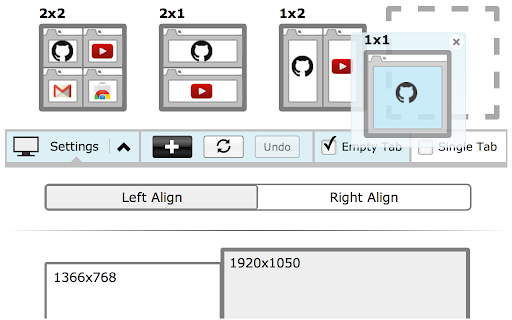
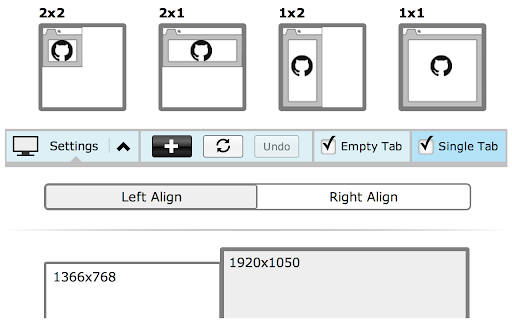
Fonctionnement :One click turns the current tabs into 2 / 3 / 4 separate Chrome windows and snaps them to a preset grid. Custom shortcuts and ratios are supported. It is the oldest and most-used tool in the “split into windows” camp.
Highest-voted praise
“perfect app It's great when working. A very helpful item, well thought out and easy to use. Many options and can also create your own user defined shortcuts”
Youssef Habboubi2018-04-26👍 21
“I switched to Vivaldi for a while and was delighted by their use of side panels. This plugin lets me just that and much more.”
Stav Geffen2019-02-10👍 25
Highest-voted complaints
“Creates new window, not split tabs within a window”
Tùng Trần2025-07-27👍 10
“This is not split screen. We know split screen is 2 tabs in a single tab. This only separates into multiple windows making it worse.”
Xenos2024-10-23👍 26
Best for
People who already use several real Chrome windows, have enough screen space, and want keyboard shortcuts to snap a layout.
Watch out
This is not an in-tab split. If extra windows on the desktop bother you, skip it.
Complaints cluster around “we wanted an in-tab split”
200,000
Utilisateurs
★ 3.71
406 ratings
Fonctionnement :Also tears tabs into real windows and snaps them. It has a loyal following in online classes, where teachers compare slides and student video on the same screen.
Praise
“Now I can see both my screen share and my school kids... this work offline”
Oyshie Ashraf2021-02-18👍 13
“Works well for me when working with several students at the same time.”
Carolyn Pirte2024-02-21👍 5
Sharp, repeated complaints
“This is not what we are asking for. Need inside of 1 Window/Tab, 2 or more Pages.”
Nazmul Hossain2024-09-05👍 35
“Why does it need my BROWSING HISTORY ??”
Zackariyya Sattaur2024-06-03👍 21
Same-code note
If you already have Dual Screens for Chrome (50k users), reviews say the code is almost the same. You do not need both.
Watch out
The score is only 3.71, and many people ask why it needs browsing history. For a more stable sibling, start with Tab Resize.
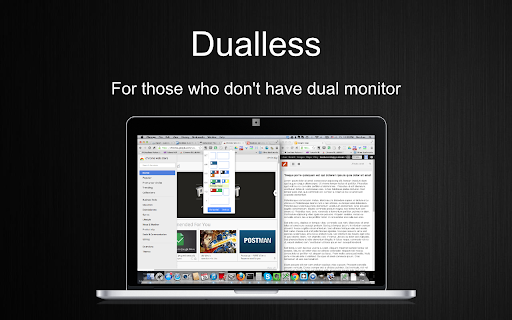
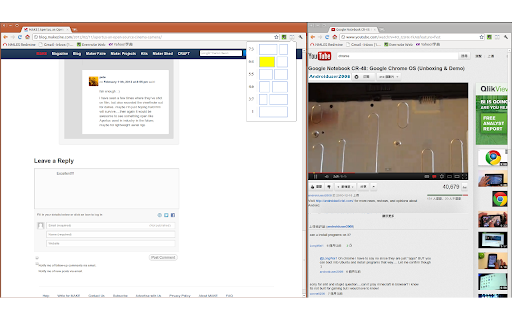
Fonctionnement :Sold as a “fake dual monitor”: two clicks split the current window, and you can save ratios like 3:7, 5:5, or 7:3.
Praise
“I have tried quite a few apps with this same goal in mind but this is my favorite by far... Another nice tool it has is being able to set tabs it opens when you use a certain ratio”
Isilee Amaryllis2016-11-17👍 25
“L'application de rêve pour lire un texte tout en envoyant un e-mail!”
Jean-Philippe C2018-05-31👍 7
High-risk complaints (lost tabs)
“All my tab groups and pinned tabs are gone! I uninstalled immediately.”
Ouguiya Treize2025-05-23👍 16
“I had sorted my tabs into tab groups and it removed them all from their groups. 0/10.”
Kelsey Guo2022-08-28👍 9
Best for
Light use: quickly park two pages at 3:7 or 5:5.
High-risk note
Splitting or merging often breaks Tab Groups and drops pinned tabs, with no undo. Heavy tab-group users should be careful.
Fonctionnement :Saves several complex grid layouts (including URLs) and restores them in one click. IT teams often use it to monitor many pages on a big screen.
Praise
“Finally found an extension to do exactly what I want! You can save layouts with urls and toggle toolbars of each tile.”
Harry Lin2018-09-25👍 5
“We were using this tool for many years to monitor our IT resources on a big TV screen... developer had been supporting us for more than a couple months.”
“I used to use this in Firefox, it would actually tile the tabs inside one same window... this just opens your tabs in separate windows and resizes them side to side.”
HJozuéorch Telmdrassfurion2022-06-06👍 4
Best for
Ops and monitoring work that needs a saved “layout + URLs” combo.
Expectation gap
Chrome’s extension APIs cannot do the old Firefox in-window tiles, so it has to open multiple windows.
Fonctionnement :Does not split the page. It sets this one window to an exact size (phone / tablet / desktop presets). Developers use it for responsive tests; multi-monitor users use it to park a window precisely.
Developer praise
“allows me to obsessively and precisely arrange windows to maximize the space on my extra-wide screen... primary audience is coders who are testing their responsive websites”
Clint Wrede2013-12-14👍 13
“Must have extension if you have a 4K monitor, or multiple different sized monitors.”
Randy Henry2021-12-14👍 4
Major historical dispute (search redirect)
“Extension works fine, but redirects Google search results to Ecosia without notifying user. Would not install again.”
Past search-redirect controversy — both sides are here
Reports: several high-voted complaints say it quietly sent Google results to Ecosia or Bing. Defense: users such as CJ Winslow say the developer later added a setting to turn that off, and the code is not malware. Advice: after install, check Chrome’s default search engine. If the new-tab page looks wrong, revoke the related permission in extension settings.
Fonctionnement :Turns the current tab into a freely moved, resized pane that stays on top—built for watching while you work: video, slides, or a trading chart.
High-score praise
“This is perfect alongside ppt slides I'm studying. I have so much more space for content.”
MikeA2025-11-06👍 2
“I am using it for Tradingview chart to be on top of MT5, and wow, works very nice.”
Mohammad.H Mohammadi2026-07-02👍 1
Almost no complaints
“Whaaat?! Google docs puts this app's icon on all our letters when printing!!! Wish I could post an image of it here. Makes no sense, it's ridiculous.”
Longcrest Company2026-07-01
Similar option
Companion Window (30k users, 4.73) is a backup. Some complaints say the icon sometimes does nothing, so it is a bit less stable.
Pick this if
If you only need a small window pinned on top, install this one. Highest satisfaction in the niche.
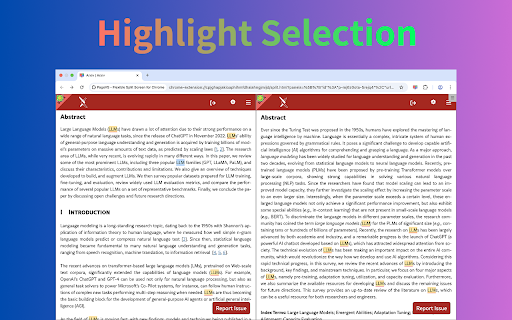
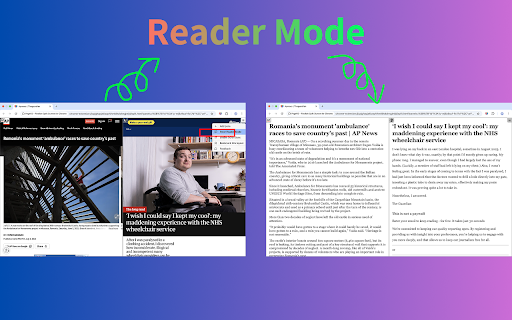
Fonctionnement :A different idea from the first six: no new windows. Up to 36 resizable panes live in one tab, with scroll sync, cross-pane highlights, reader mode, and saved layouts. When other extensions get one-star reviews saying “this is what I wanted,” this is the shape they mean.
Still few users, and few ratings
Only about 3,000 users and 16 ratings. We did not find many long reviews when we collected data. It does deliver a true in-tab split, but a small sample is not proof it is flawless. Try it for a few days before you rely on it.
Best for
People who refuse extra Chrome windows and insist on tiling inside one tab.
Performance note
Dozens of panes in one tab will tax CPU and memory. Pages with cross-origin limits may not load.
Constatations communes
4. Motifs transversaux
Après les sept, ces motifs valent d’être connus.
1
People mean different things by “split screen” — that is most of the one-star reviews
Most “split screen” extensions actually open several OS windows and snap them. Everyday users hear “split screen” and expect two panes in one tab. That gap shows up again and again in the top complaints for Tab Resize, Split Screen for Google Chrome, and Tile Tabs WE. A true in-tab split is still rare; PageVS is the one doing it here.
2
Split / merge often wipes Tab Groups and pinned tabs
When the browser tears out a new window or merges it back, Chrome Tab Groups and Pinned Tabs are easy to lose. Many high-voted Dualless complaints say one merge scattered every group they had made.
3
Permissions and silent search changes set people off
Users are wary of window managers asking for extra access. Split Screen for Google Chrome was heavily questioned for reading browsing history. Window Resizer has a past dispute about quietly changing the default search engine to Bing or Ecosia. If a tool in this niche starts monetizing, the reaction is loud.
4
Firefox veterans feel the drop
Ports such as Tile Tabs WE often get “it used to tile inside one Firefox window; on Chrome it just opens more windows.” That is a Chrome extension API limit, not a lazy port.
5
Always-on-top tools score much higher than window-splitters
Always on Top Window (4.78) and Companion Window (4.73) sit well above the split-window camp. The promise is simple—“pin one small window on top”—so there is no fight about whether it is an in-tab split, and far fewer complaints.
Comment choisir
5. Choisir selon le scénario
Associez la carte à votre usage réel.
Scene 1 · One-window only
I refuse a second Chrome window on the desktop
You need 2–4 pages in one tab, plus scroll sync or highlight compare.
👉 Pick PageVSSmall-sample product. Try it before you depend on it.
Scene 2 · Watch while you work / PiP
Keep video / a chart / slides on top
Write or spreadsheet in the main window while a video, lecture, or trading chart sits in the corner.
👉 Pick Always on Top Window4.78 and a clear, stable job.
Scene 3 · Fast multi-window layout
Extra windows are fine; I want a shortcut
Large or multi-monitor setups that need 2–4 windows snapped to a grid.
👉 Pick Tab ResizeProven by 800k users, mature custom shortcuts.
Scene 4 · Frontend / responsive testing
Change one window to an exact size
Test a page at phone, tablet, or 4K sizes.
👉 Pick Window ResizerAfter install, check that the default search engine did not change.
Sources
6. Sources et mode de calcul
Source:Data comes from crx.windseed.app, our Chrome Web Store database: 310k+ extensions and 530k+ real reviews. Collected 2026-08-17.
How we count:User counts, ratings, and rating totals are a snapshot from that day, not live store numbers.
How we picked quotes:Praise and complaints are sorted by Chrome “helpful” votes, with the original author and date. We did not edit the wording.